


Podcast App
4.35.06K Reviews
App Specs
- Version
- 3.35.2
- Updated On
- License
- Free
- Downloads
- 1,000,000+
- Developer
- Evolve Podcast App For Android
- Categories
- Music & Audio
- Platform
- Android
Screenshots
 Analysis by AppCompare
I tend to notice a podcast app most when my connection changes: a show loads on home Wi-Fi, a commute moves through weak signal, or I want to line up something to hear later. That is the lens I bring to Podcast App. It is a free Android audio app from Evolve Podcast App For Android, and its appeal is the familiar mix of discovery and listening controls. I would consider it if I want one place to browse and manage shows, while keeping in mind that the smoothness of a listening session can depend on when and how I connect.
When discovery depends on a connection
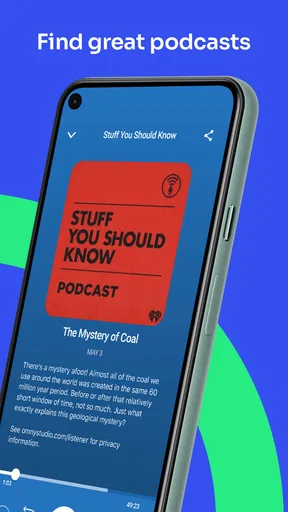
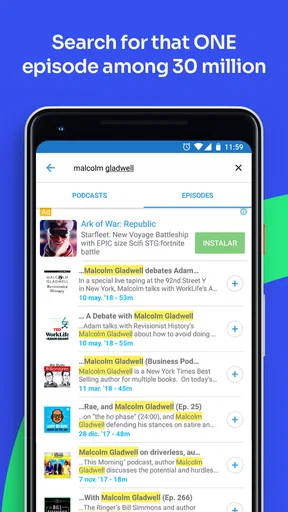
Finding something new is part of the draw here. The search function lets me explore topics such as comedy, true crime, and self-help, while recommendations based on listening habits can make the next choice feel less random. That is useful when I have a few minutes before leaving and want to find a show rather than scroll through a long list of titles I already know.
There is a trade-off: browsing and choosing shows is most comfortable when I have a reliable connection and time to compare options. I would use Wi-Fi to explore unfamiliar podcasts, then decide what I actually want to hear before heading out. This small bit of planning matters more than it might in a music app, because a podcast episode can occupy a long stretch of a commute or chore.
The app’s popularity suggests it has found an audience: it has over a million installs and an average rating of 4.3 from around 22,000 ratings. Those figures are useful context, but they do not guarantee that its recommendations will match my taste. I would judge discovery by whether it keeps surfacing shows I genuinely want to follow, rather than by how much content appears on screen.
Listening in real mobile situations
Playlists are especially practical when I do not want to make decisions while moving. I can line up different episodes for a commute, a walk, or a workout, and the ability to shuffle gives me a change of pace when I am not following a particular series in order. For a news or learning show, though, I would keep episodes in sequence; shuffling is better for standalone conversations than for material that builds from one part to the next.
There is also a sleep timer for listening at bedtime. I like that use case because it turns the app into a set-and-listen option instead of something I need to check repeatedly in the dark. I would choose a stopping point that leaves room for winding down, especially if I am listening to a long discussion rather than a short episode.
The audio controls can help adapt listening to an imperfect setting: playback speed, silence skipping, and volume boost give me options when a host speaks slowly, pauses often, or records at a lower level. I would make those adjustments before setting off, not while crossing a busy street or trying to concentrate on traffic. A faster speed can save time, but it is not automatically better for detailed interviews or lessons.
Worth Reading Before You Choose

Flipboard Shows What News Apps Must Do Beyond the Feed

Switching to Android Auto Means Rethinking Your Driving Routine

Google Calendar Makes a Crowded Week Easier to Manage

Ludo King Makes the Most of the Minutes Between Plans

Baby Panda World Brings Quick Play to Modern Phones, but Its Game Library Feels Busy

ESPN’s Live Game View Makes Following Close Games Easier
What to do when playback gets interrupted
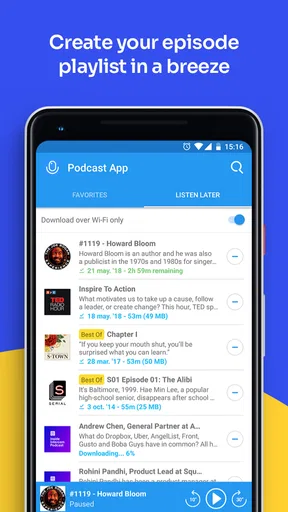
Any listener planning around mobile connectivity should distinguish between discovering an episode and playing one. The app includes episode downloads for offline listening, so I would prepare ahead when I know I will be somewhere with poor signal. I would not leave that task until the train is moving or the elevator doors are closing: starting a download while connected gives it a chance to finish before I depend on it.
If playback stalls, I would first check whether I am trying to stream in a weak-signal spot or open an episode that has not finished downloading. Moving to a steadier connection, or choosing an episode already saved for offline listening, is a more useful first response than repeatedly tapping play. That is a simple recovery habit, but it can prevent a small interruption from turning into a frustrating search through the app.
Bookmarks give me another way to recover my place in a useful episode. If a connection problem or a busy day breaks my concentration, I can mark a moment worth returning to instead of relying on memory. For a study-oriented show, I would bookmark the start of an explanation or a key example, then revisit it when I have time to take notes.
Keeping mobile data in mind
Downloads are helpful, but they make planning part of the listening routine. I would use Wi-Fi for episodes I expect to play away from home and save mobile data for browsing or moments when I have no prepared option. Since an episode can be much longer than a quick song, downloading only the shows I am likely to finish is a sensible way to avoid filling my device with audio I may never hear.
That approach also makes playlists more useful: I can arrange what I have already prepared instead of searching for new episodes on the move. If I often change my mind, I would keep the downloaded queue modest and refresh it when I have a dependable connection. This is not as spontaneous as streaming everything immediately, but it is a better fit for travel, patchy coverage, or a data-conscious routine.
Podcast App is free to install, with in-app purchases listed at $19.99 to $34.99 per item. I would start by using the free experience and decide whether any paid option is relevant to how I listen, rather than treating a purchase as necessary. The app is rated for Teen audiences, and its current version is 3.34.0; it requires Android 7.0 or later. The developer is Evolve Podcast App For Android, and the app has been available since March 18, 2016.
First Impressions and Interface
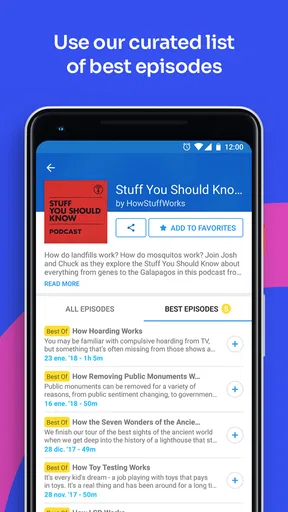
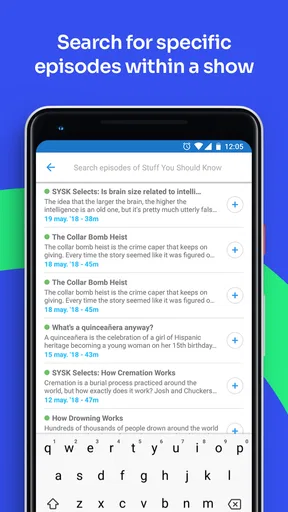
When you first open the Podcast App, the clean and intuitive design hits you right away. It’s like walking into a well-organized library where everything is exactly where you’d expect it to be. The layout is simple, with a focus on usability, which makes it perfect even if you're a podcast newbie.
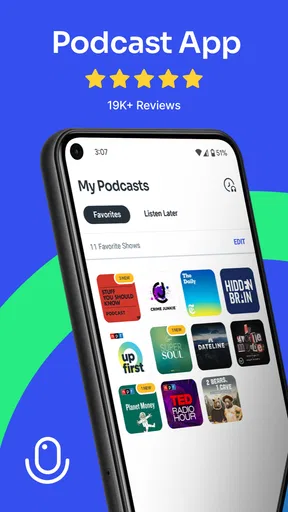
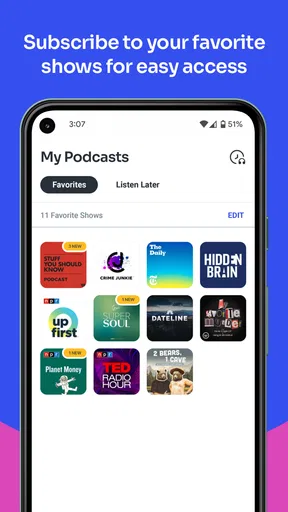
The home screen greets you with a delightful mix of trending podcasts, personalized recommendations, and your subscribed shows. The colors are easy on the eyes, and navigation is a breeze. You can tell a lot of thought went into making it user-friendly.
Features That Stand Out
Now, onto the features! One of the coolest things I found is the ability to create playlists. You can easily shuffle between different episodes, making it perfect for long commutes or workout sessions. The app also lets you download episodes for offline listening, which is a lifesaver when you’re on the go.
The search function is robust, letting you explore categories like comedy, true crime, or self-help, to name a few. Plus, the app suggests new podcasts based on your listening habits, which is a neat way to discover fresh content.
Another nifty feature is the sleep timer. If you’re like me and love falling asleep to a soothing voice, this is a game-changer. You can set it to stop playing after a certain time, ensuring you don’t lose your spot in the episode.
Listening Experience
The audio quality is top-notch, and the playback options are plenty. You can adjust the speed, skip silences, and even boost the volume for those quieter episodes. It’s these small touches that make listening a pleasure.
Bookmarks are another fantastic addition. You can mark favorite moments or important sections to revisit later—perfect for those educational podcasts where you want to take notes.
Community and Interaction
One thing I particularly enjoyed is the sense of community the app fosters. You can leave comments on episodes, and even join discussions with other listeners. It’s a great way to connect with fellow podcast enthusiasts and share insights.
Moreover, many podcasts have built-in social media links, making it easy to follow your favorite hosts and keep up with any updates or live shows they might be hosting.
Final Thoughts
All in all, the Podcast App is a solid choice whether you’re a seasoned listener or just starting out. Its user-friendly design, combined with a plethora of features, makes it stand out in the crowded podcast app market.
Whether you’re into deep dives on niche topics or looking for a daily news summary, this app has something for everyone. So, why not give it a try? You might just find your next favorite podcast.
Choosing it over other listening habits
Compared with a general music player, a dedicated podcast app is more useful when I want to follow spoken-word shows, discover related episodes, and keep longer listening sessions organized. Podcast App’s playlists, bookmarks, and topic-based search support that kind of routine. A music service may still be the simpler choice if my listening is mostly songs or if I want one place for both music and podcasts; I would not switch solely for the sake of having another player.
It also suits a different mood than listening through a show’s website or social feed. Those can work for a one-off episode, but they are less convenient when I want a repeatable queue for the week. Here, I can make the next listening choice in advance and use playback controls to tailor it. The key question is whether I value those podcast-specific habits enough to keep a separate app on my phone.
For an everyday example, imagine I have a morning bus ride and an evening walk. At home, I can search for a new interview show, sample its topic, and prepare episodes for the trip. On the bus I can listen without depending on a continuous connection if I downloaded them beforehand; later, I can bookmark a useful passage and return to it during a quieter moment. That workflow makes the app more helpful than simply opening it when I am already offline and hoping the right episode is ready.
Who will get the most from it
I would recommend it to someone who listens regularly, enjoys discovering shows through categories, and wants more control than a basic play button provides. The mix of speed adjustment, silence skipping, playlists, sleep timer, and bookmarks covers distinct situations rather than repeating the same convenience in different forms. New listeners can start with a topic they already like, while experienced listeners can use playlists to separate casual listening from episodes they want to study or revisit.
It may be less suitable if I rarely listen to podcasts, prefer to stream everything without planning, or want a single app mainly for music. It is also not the best fit for a listener who expects every commute to have reliable mobile service but does not want to prepare downloads. In that case, a service already central to the person’s listening routine may be easier, even if it offers fewer podcast-focused ways to organize episodes.
One practical habit I would adopt is to treat the app as two stages: browse when connected, then listen from a prepared queue when away from a steady network. I would keep the queue focused on episodes I actually intend to hear, use bookmarks for specific sections rather than saving vague reminders, and reserve shuffle for shows that do not depend on order. Those choices make the controls more valuable without requiring constant tinkering.
Where I land on connectivity
Podcast App works best for me when I make a little room for preparation. Discovery feels most comfortable with a connection, while downloaded episodes make listening more dependable in places where coverage is uncertain. That division is not a drawback unique to this app; it is simply a sensible way to handle long audio on a phone. The friction appears when I forget to prepare, or when I want instant access to something I have not already selected.
My overall view is that this is a capable option for Android listeners who want podcast discovery and practical playback tools in one place. I would choose it for a planned commute, a bedtime routine, or a learning playlist, but not as my only audio app if music is the priority or I never want to manage a queue. If those trade-offs match how you listen, it is worth trying; just build the habit of checking your next episodes before leaving a dependable connection.
Pros
- User-friendly interface for easy navigation.
- Extensive library of podcasts available.
- Offline listening feature saves data.
- Customizable playback speed options.
- Seamless integration with smart devices.
Cons
- Limited free version features.
- Occasional ads interrupt streaming.
- No automatic episode downloads.
- Some podcasts have outdated content.
- Requires account for personalized features.
FAQs for Podcast App
What features does the Podcast App offer for managing my subscriptions?
The Podcast App provides a robust subscription management system, allowing users to easily subscribe, unsubscribe, and organize their favorite podcasts. It includes features such as automatic downloads, notifications for new episodes, and the ability to create custom playlists. Users can also categorize their podcasts into folders for better organization.
Is the Podcast App compatible with both Android and iOS devices?
Yes, the Podcast App is fully compatible with both Android and iOS devices. It offers a seamless experience across platforms, allowing users to sync their subscriptions, playlists, and listening history. This ensures that you can switch between devices without losing your place in an episode or your subscription list.
Does the Podcast App support offline listening?
Absolutely! The Podcast App allows users to download episodes for offline listening. This feature is particularly useful for those who want to save on data usage or listen to their favorite shows without an internet connection. Users can choose to download episodes manually or set them to download automatically when connected to Wi-Fi.
Are there any customization options available in the Podcast App?
Yes, the Podcast App offers a variety of customization options to enhance the user experience. Users can adjust playback speed, enable sleep timers, and choose between different themes for the app's interface. Additionally, the app supports custom notification settings, so you only receive alerts for the shows you care about.
Is there a premium version of the Podcast App, and what additional features does it offer?
The Podcast App does offer a premium version, which includes several additional features. Premium users can enjoy an ad-free experience, access exclusive content, and benefit from enhanced audio quality. The premium version also provides early access to certain podcasts and advanced analytics on listening habits, helping users discover new shows tailored to their preferences.


